Key Takeaways
- Strong moderation is essential in virtual events because attention can easily drop without in-person cues. A skilled moderator keeps the discussion focused, balanced, and engaging for the audience.
- A moderator’s role goes beyond introductions and timekeeping in an online session. You guide the conversation, manage speakers, and connect the audience with the discussion.
- Effective moderation begins with strong preparation and a clear structure. Planning the flow, understanding the audience, and aligning with speakers helps the session run smoothly.
- Active listening and technology readiness help you manage discussions confidently. When you understand the tools and respond thoughtfully to speakers, the conversation feels natural and productive.
- Audience interaction and time management determine the overall success of the session. Using engagement tools like Interactico for polls, Q&A, and real-time feedback helps keep participants involved while making moderation easier and more impactful.
Are you moderating an event online? If so, your role goes far beyond introducing speakers. You shape the energy of the room. You guide the conversation. With the right preparation, listening skills, and engagement strategies, you can run impactful webinars or online events. This guide shows you how to moderate a meeting virtually to keep the discussions focused.
Why is Good Moderation Essential
In virtual formats, moderation becomes even more critical. Without body language cues and in-person energy, it is easier for discussions to drift or disengage. A poorly moderated session feels chaotic or flat. On the contrary, a well-moderated session feels smooth and purposeful. When you know how to moderate discussion effectively, you do the following:
- Keep conversations aligned with the goal
- Prevent one speaker from dominating
- Encourage diverse perspectives
- Protect time and structure
- Maintain audience engagement
What Is the Role of a Moderator in a Virtual Setting?
When you are moderating an event, conference, webinar, or panel online, you are not just a timekeeper. You are the session architect. Your role includes:
- Setting the tone at the start of the session
- Introducing speakers clearly and confidently
- Guiding the flow of conversation
- Keeping discussions balanced and respectful
- Engaging the audience throughout the session
- Managing time carefully
- Summarizing key insights before closing
If you want to confidently moderate a discussion in a virtual environment, think of yourself as the bridge between speakers and audience. Your job is to make that connection seamless.
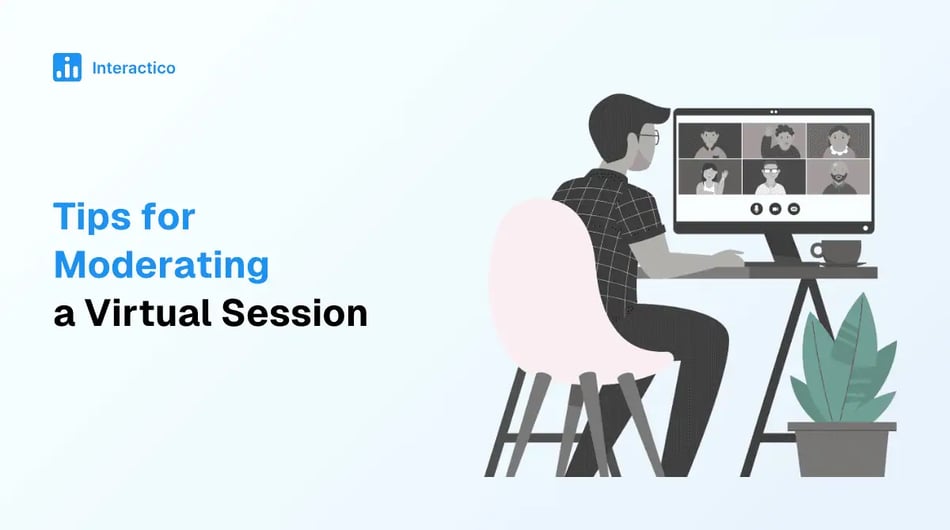
What are the Most Effective Six Tips for Moderating a Virtual Session?
Great meeting moderation management practices keep your audience engaged from the first minute to the final takeaway. If you want to run a smoother webinar, panel, or online conference, these six practical tips help you stay in control while keeping the energy high.
-
Prepare Thoroughly
Preparation is your secret weapon. When you plan well, your session feels natural and confident. When you improvise too much, the gaps show.
-
Create a Simple Moderator Roadmap
You do not need to write a word-for-word script. But you do need a clear structure. Your outline should include:
- A strong opening
- Clear speaker introductions
- Transition questions
- Planned audience engagement moments
- Time reminders
- A closing summary
This structure keeps the discussion flowing and prevents awkward silences.
-
Understand Your Audience
Before the session, think about who is going to attend:
- Senior leaders?
- Team managers?
- Industry experts?
- General event participants?
When you know who is in the virtual room, you can shape better questions and guide more meaningful conversations.
-
Align With Your Speakers
Reach out to your speakers in advance. Discuss:
- Core themes
- Time expectations
- Sensitive areas to handle carefully
- Backup questions in case the discussion slows
This alignment is a key part of strong meeting moderation management. When everyone understands the plan, the session feels seamless.
-
-
Practice Active Listening
Moderation is not about waiting for your turn to talk. It is about listening with intention. When you actively listen, you can:
- Ask thoughtful follow-up questions
- Clarify unclear points
- Link one speaker’s insight to another
- Keep the conversation dynamic instead of rigid
If you truly listen, you can confidently moderate a discussion without relying heavily on your script.
-
Master the Technology
Even the best conversation can lose momentum if technology fails. Following this checklist before going live helps:
- Test your audio and video
- Confirm screen sharing works
- Ensure speakers have proper access
- Review how audience interaction tools function
If you are using interactive features inside Google Meet, practice launching them smoothly. For example, with Interactico, you can:
- Start live polls directly within Google Meet
- Run Q&A sessions without requiring participants to install anything
- Capture responses instantly
- View real-time analytics
Because attendees join through a simple shared link, participation remains effortless. When you feel confident with your tools, you can focus fully on leading the session.
-
Add Creative Engagement
Virtual sessions should never feel one-sided. Creativity keeps attention sharp. Here are a few ways to make your session more interactive:
- Polls: Begin with a quick check-in or opinion poll. For example: “In one word, how would you describe your current challenge?” Polls immediately invite participation.
- Quizzes: Use short quizzes to reinforce key insights or test understanding.
They work especially well in training and educational sessions. - Breakout Rooms: In longer events, small group discussions encourage more people to speak up. Participants often feel more comfortable sharing in smaller groups.
- Chat Engagement: Prompt attendees to share reactions or ideas in the chat. This creates ongoing interaction, even for quieter participants.
- Integrated Q&A: Instead of waiting until the end, invite questions throughout the session.
-
Connect the Dots Clearly
A strong moderator helps the audience see how ideas relate to each other. Use bridging phrases like the following:
- “That connects directly to what we discussed earlier…”
- “Building on that point…”
- “Let’s explore another perspective on this…”
When you guide the flow this way, the conversation feels cohesive instead of scattered. Your audience follows a clear narrative rather than isolated comments.
-
Respect Time and Protect Value
- Assign time blocks for each segment
- Add buffer time
- Plan smooth transitions
These initiatives help during the session:
- Gently step in if a speaker goes too long
- Keep responses focused
- Monitor audience energy levels
If your session is scheduled for one hour, end on time. Close with a short summary to reinforce key insights.
To conclude, you must understand that your role is paramount if you lead a corporate town hall, host a virtual panel, or run a webinar. Your competence determines the outcome of the event. By applying these six tips for moderating a virtual session, you can:
- Create smoother conversations
- Increase audience engagement
- Encourage meaningful participation
- Deliver stronger value in every session
Ready to make your next session more engaging?


Anurag Bhagsain is the Founder of Interactico. With a background in SaaS, product development, and automation, he is focused on solving real world problems, especially to make meetings truly interactive. With a love for blogging, he shares practical tips on audience interaction, polls, Q&A, and meeting best practices, turning them into simple, actionable ideas. Off hours, he enjoys coding and gaming.